
Nissan Leaf Owners Manual | 2025
9.17.4. Operating ProPILOT Assist
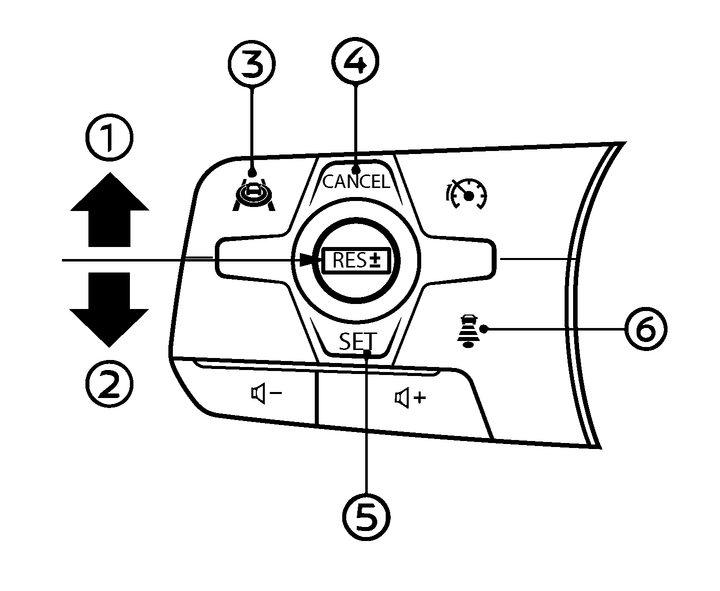
Pushing the ProPILOT Assist switch (3) when [ProPILOT Assist] is selected in the [Cruise Mode] menu under [Driver Assistance] main menu will turn on the ProPILOT Assist system.
This turns on the ProPILOT Assist system and displays the status of the ProPILOT Assist system on the Vehicle Information Display.
Accelerate or decelerate your vehicle to the desired speed and push down the <SET> switch (5).
The ProPILOT Assist system begins to automatically maintain the vehicle set speed. The ProPILOT Assist activation indicator and ProPILOT Assist status indicator illuminate in blue. When your vehicle is travelling at a speed of 20 km/h (12 MPH) or below and the <SET> switch (5) is pushed down, the vehicle set speed is 20 km/h (12 MPH).

If the EV system is turned off while ProPILOT Assist system was on, the ProPILOT Assist system will be in standby status once the EV system is turned on again.
When the Emergency Lane Assist (ELA) system and the Intelligent Emergency Braking system are disabled In the settings menu, these systems will automatically be turned on when the Steering Assist system is active. For additional information, see
, and .
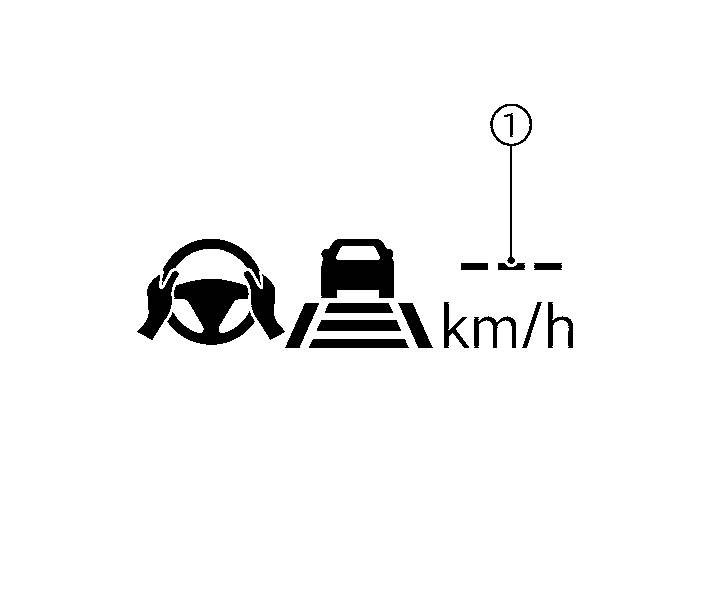
When the <SET> switch is pushed under the following conditions, the ProPILOT Assist system cannot be set and the vehicle set speed indicator (1) blinks for approximately 2 seconds:
When the transmission is moved out of the D (Drive) position.
When the parking brake is applied
When the brakes are operated by the driver
When the ESP system is off. For additional information, see
.When the ESP system (including the traction control system) is activated
When a wheel is slipping
When any door is open
When the driver’s seat belt is not fastened