
Nissan Leaf Owners Manual | 2025
9.17.7.1. ICC system operation
The ICC system is designed to maintain a selected distance from the vehicle in front of you and can reduce the speed to match a slower vehicle ahead. The system decelerates the vehicle as necessary and if the vehicle ahead comes to a stop, the vehicle decelerates to a standstill. However, the ICC system can only apply up to approximately 40% of the vehicle’s total braking power.
This system should only be used when traffic conditions allow vehicle speeds to remain fairly constant or when vehicle speeds change gradually. If a vehicle moves into the travelling lane ahead or if a vehicle travelling ahead rapidly decelerates, the distance between vehicles may become closer because the ICC system cannot decelerate the vehicle quickly enough. If this occurs, the ICC system sounds a warning chime and blinks the system display to notify the driver to take necessary action.
The ICC system operates as follows:
When there are no vehicles travelling ahead, the ICC system maintains the speed set by the driver. The vehicle set speed range is above approximately 20 km/h (12 MPH).
When there is a vehicle travelling ahead, the ICC system adjusts the speed to maintain the distance, selected by the driver, from the vehicle ahead. If the vehicle ahead comes to a stop, the vehicle decelerates to a standstill. Once your vehicle stops, the ICC system keeps the vehicle stopped.
For vehicles equipped with ProPILOT, if the vehicle ahead stops and your vehicle is stopped on a motorway for less than approximately 30 seconds, and the driver monitor system detects that the driver’s attention is focused on the road ahead, the message [CRUISE Restart Active] will appear on the vehicle information display. When the vehicle ahead begins to move, your vehicle will also start moving automatically.
For vehicles equipped with ProPILOT, if the driver monitor camera cannot recognise that the driver is driving with careful attention to the front, the message [Look Forward] will appear on the vehicle information display. When the vehicle ahead begins to move, it will not start to move automatically.
If not on a motorway, your vehicle will start to move automatically when it is stopped for less than approximately 3 seconds and the vehicle ahead begins to move. When your vehicle is at a standstill for more than 3 seconds, it will not start to move automatically.
When the vehicle travelling ahead moves to a different travelling lane the ICC system accelerates and maintains vehicle speed up to the set speed.
When the vehicle travelling in the next lane is detected, the ICC will adjust the speed to avoid undertaking the right or left lane which may vary in different countries on motorways or multi-lane roads with separate carriageways.
The function is active when travelling speed is above 80 km/h. When the travelling speed is significantly higher than the speed in adjacent lane, the vehicle may overtake the vehicle in adjacent lane.
The ICC system does not control vehicle speed or warn you when you approach stationary and slow moving vehicles. You must pay attention to vehicle operation to maintain proper distance from vehicles ahead when approaching toll gates or traffic congestion.
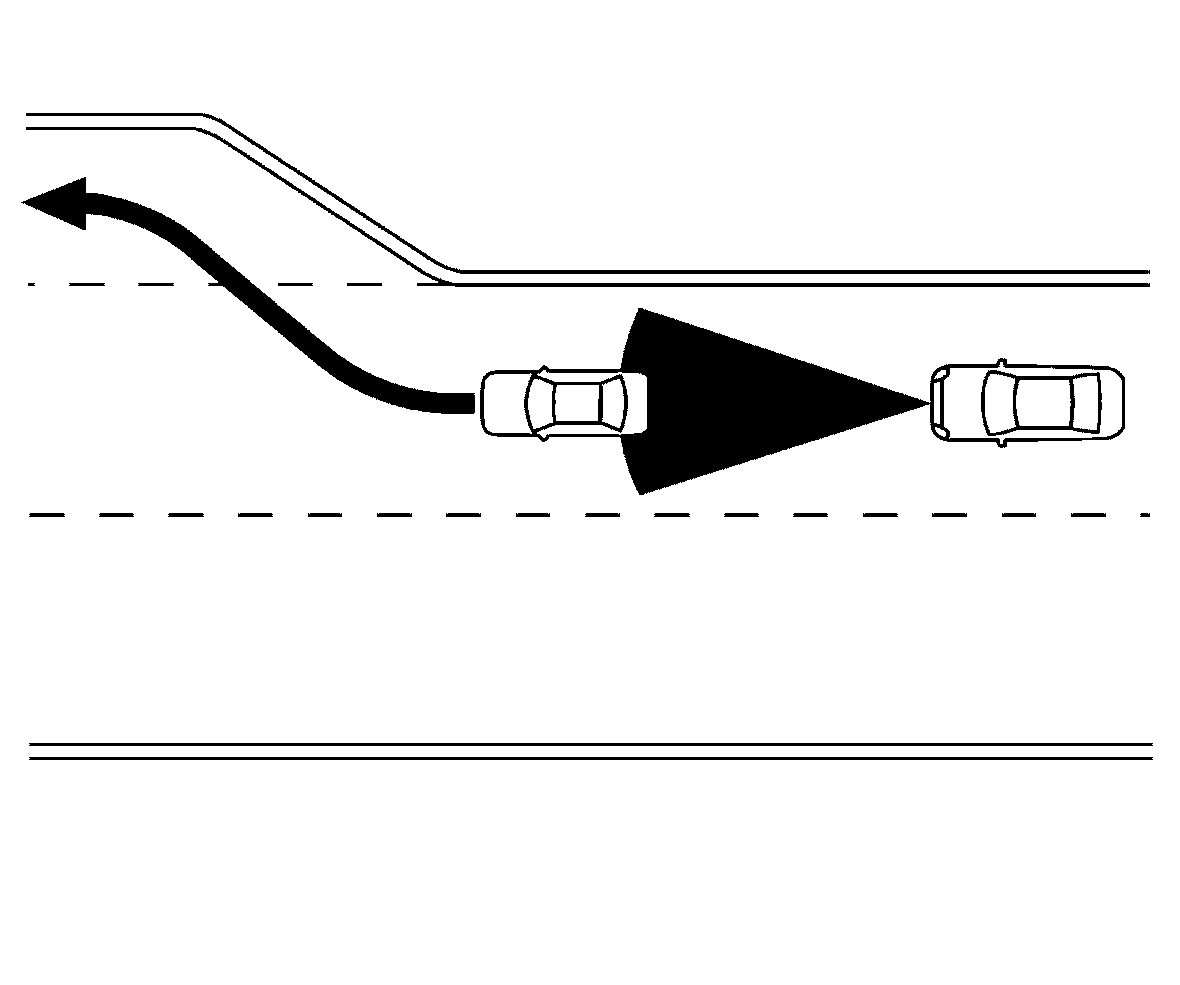
When driving on the highway at a vehicle set speed and approaching a slower travelling vehicle ahead, the ICC system adjusts the speed to maintain the distance, selected by the driver, from the vehicle ahead. If the vehicle ahead changes lanes or exits the highway, the ICC system accelerates and maintains the vehicle set speed. Pay attention to the driving operation to maintain control of the vehicle as it accelerates to the set speed.
The vehicle may not maintain the set speed on winding or hilly roads. If this occurs, you will have to manually control the vehicle speed.
Normally when controlling the distance to a vehicle ahead, the system automatically accelerates or decelerates your vehicle according to the speed of the vehicle ahead.
Depress the accelerator to properly accelerate your vehicle when acceleration is required for a lane change. Depress the brake pedal when deceleration is required to maintain a safe distance to the vehicle ahead due to sudden braking or if a vehicle cuts in. Always stay alert when using the ICC system.
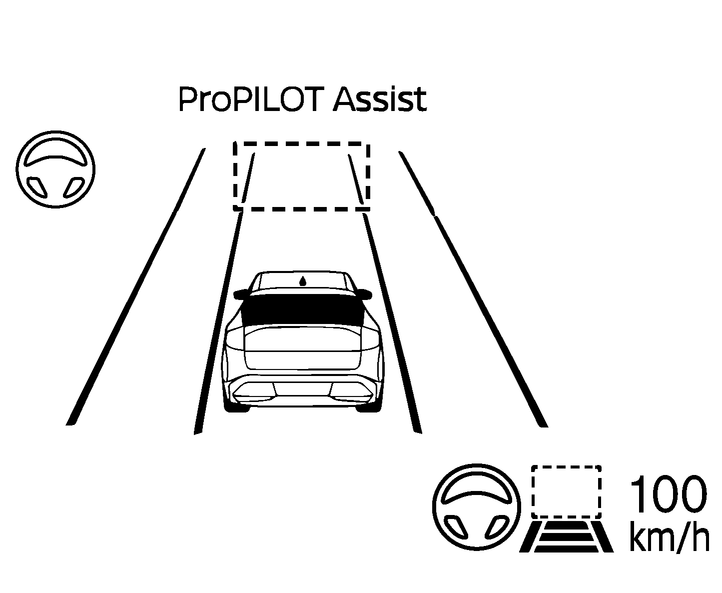
No vehicle detected ahead
The driver sets the desired vehicle speed based on the road conditions. The ICC system maintains the vehicle set speed, similar to standard cruise control, as long as no vehicle is detected in the lane ahead. The ICC system displays the vehicle set speed.
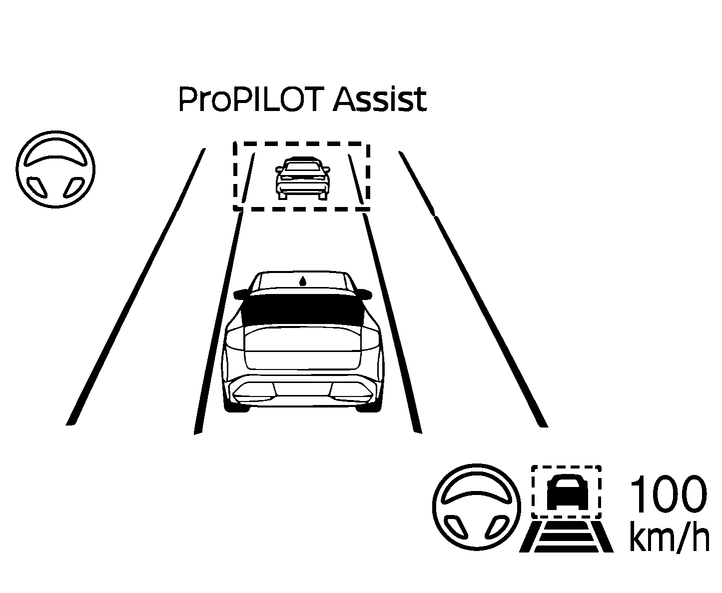
Vehicle detected ahead
When a vehicle is detected in the lane ahead, the ICC system decelerates the vehicle by controlling the throttle and applying the brakes to match the speed of a slower vehicle ahead. The ICC system then adjusts the vehicle speed based on the speed of the vehicle ahead to maintain the driver selected distance.

The brake lights of the vehicle come on when braking is performed by the ICC system.
When the brake is applied by the system, a noise may be heard. This is not a malfunction.
When the ICC system detects a vehicle ahead, the vehicle ahead detection indicator is displayed and the speed control status indicator  illuminates in green.
Vehicle ahead stops
When a vehicle ahead is detected and it gradually decelerates to stop, your vehicle decelerates to a standstill. When your vehicle is at a standstill, the [CRUISE Restart Active] message is displayed on the vehicle information display.
When your vehicle stops for less than 3 seconds, your vehicle will automatically follow the vehicle ahead as it accelerates from a stop. If your vehicle is stationary for more than approximately 3 minutes, the ICC system will be switched off and the electric parking brake will be applied.
Vehicle ahead accelerates
When your vehicle is at a standstill and the vehicle ahead begins to accelerate, push the RES+/RES- button or lightly depress the accelerator pedal. The ICC system starts to follow the vehicle ahead.
Always check surroundings before restarting the vehicle.
Vehicle ahead not detected
When a vehicle is no longer detected ahead, the ICC system gradually accelerates your vehicle to resume the previously vehicle set speed. The ICC system then maintains the vehicle set speed.
When a vehicle is no longer detected, the vehicle ahead detection indicator and speed control status indicator (maintain speed control mode) turn off.
For ProPILOT Assist with Navi-link equipped vehicles on a limited access motorway as identified in the navigation map data, the ICC system cancels and a chime sounds if your vehicle is at a standstill for more than approximately 3 seconds and a vehicle is not detected ahead.
Curve detected
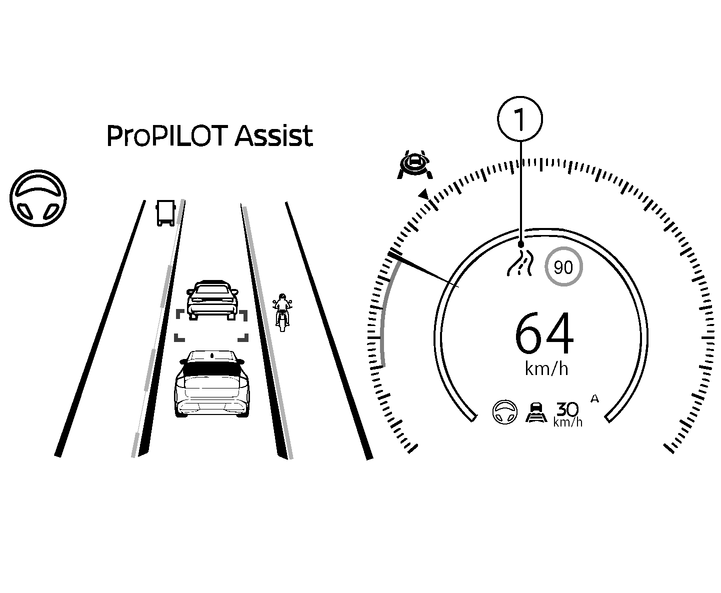
When the ICC system detects a curve, the system adjusts vehicle speed and the road information indicator (1) comes on.
When the vehicle is through the curve, the vehicle will accelerate again to the set speed and the road information indicator (1) turns off.
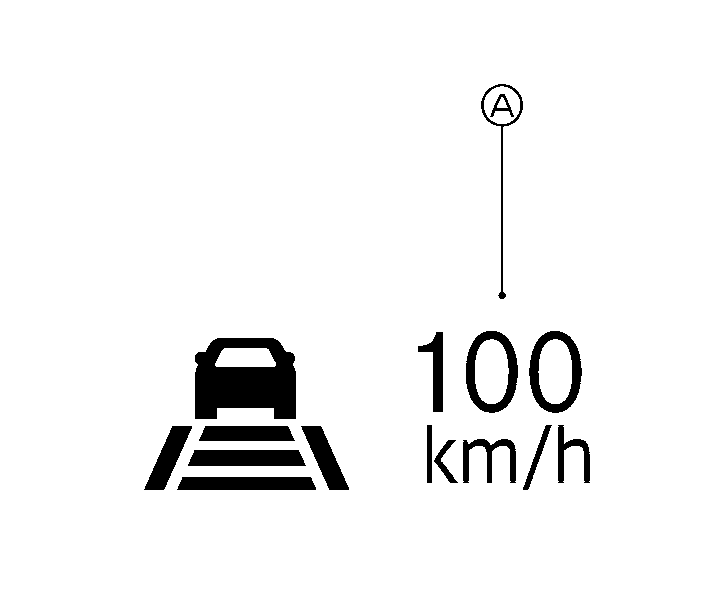
When passing another vehicle, the vehicle set speed indicator (A) flashes when you override the ICC system, by depressing the accelerator pedal and the vehicle speed exceeds the set speed. The vehicle ahead detection indicator turns off when the area ahead of the vehicle is open. When the pedal is released, the vehicle returns to the previously set speed. Even though your vehicle speed is set in the ICC system, you can depress the accelerator pedal when it is necessary to accelerate your vehicle rapidly.