
Nissan Leaf Owners Manual | 2025
9.18.2. How to enable/disable the IDC system
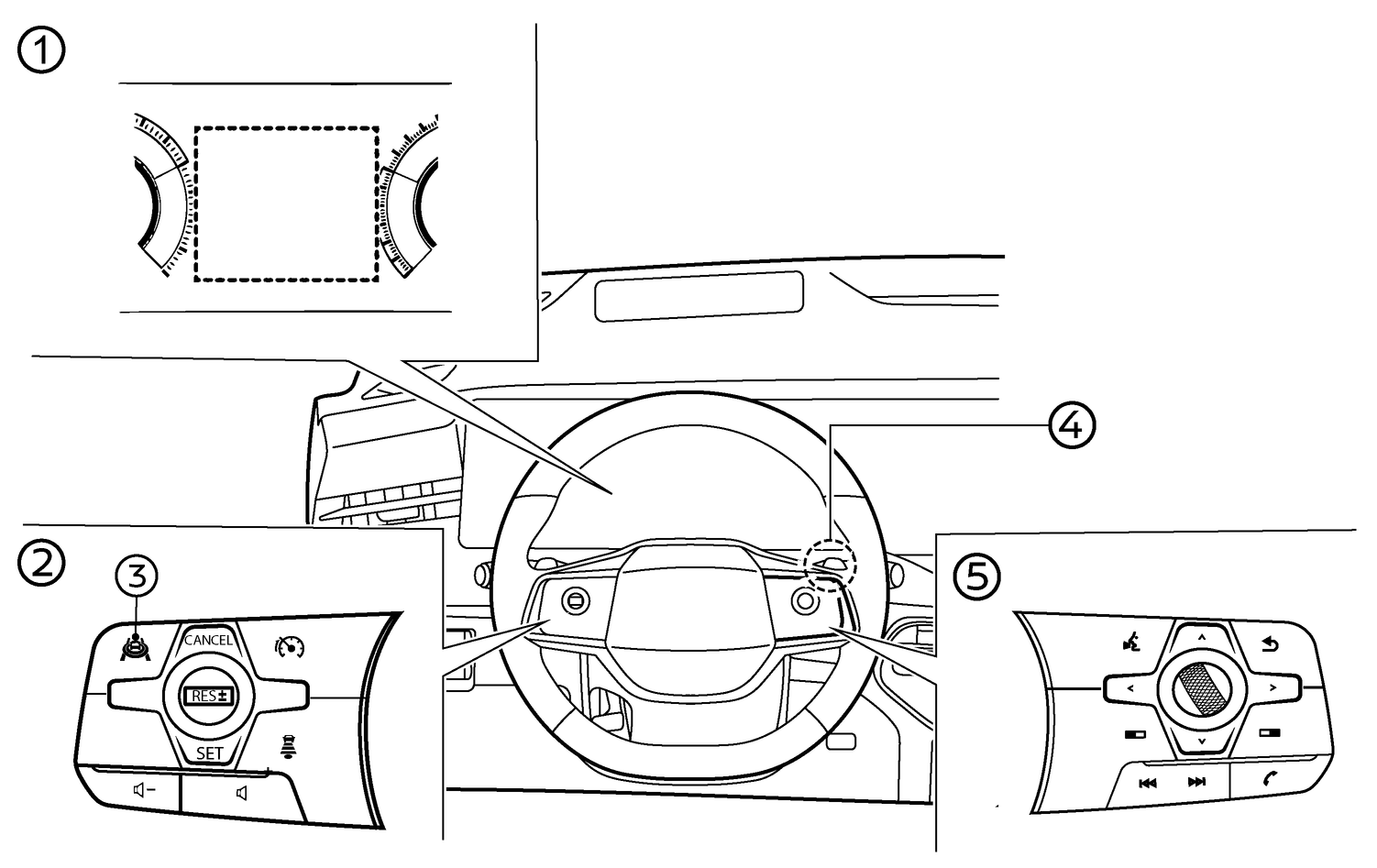
- (1)Vehicle information display
- (2)Steering-wheel-mounted controls (left side)
- (3)ProPILOT Assist switch
- (4)Right-side paddle selector
- (5)Steering-wheel-mounted controls (right side)
Turning the Intelligent Distance Control (IDC) ON/OFF
To turn on the IDC system, follow one of these two methods:
Right-side paddle selector
To turn the IDC system ON or OFF, pull and hold the right-side paddle selector (4) for more than 1 second.
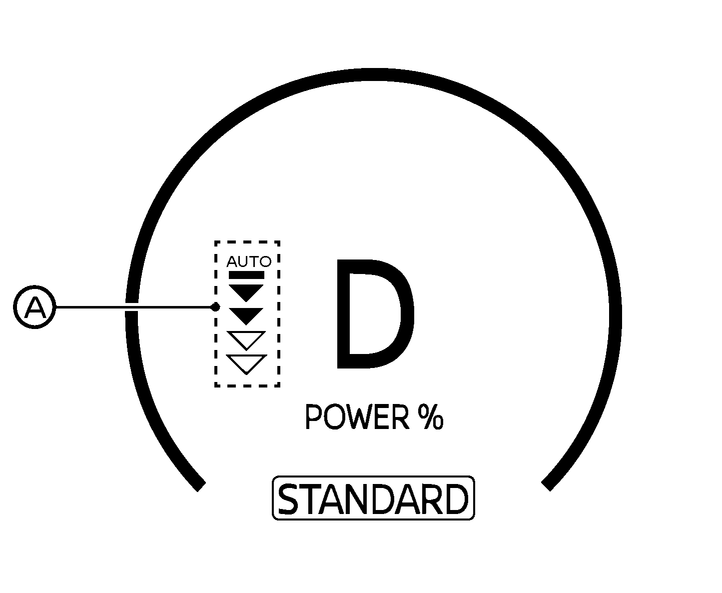
When the IDC system is ON, the IDC status indicator [AUTO] (A) in the vehicle information display illuminates in blue.
The regenerative braking intensity level also turns blue and can be manually selected by the driver. For additional information on regenerative braking intensity, see
.When the ProPILOT Assist system becomes active, the IDC system turns OFF. When the ProPILOT Assist system is deactivated, the IDC system turns ON again.
When the IDC system is turned ON using the right-side paddle selector switch, it remains ON even if the ProPILOT Assist system is turned OFF.
The IDC system is not available when the Conventional (fixed speed) Cruise Control is selected in the menu. For additional information, see
.The IDC system can be used even when the Speed Limiter is ON.
ProPILOT Assist switch
When the Distance Control setting in the vehicle information display is enabled, the IDC system can be turned on by pushing the ProPILOT Assist switch (3) .
Vehicle information display setting
Push the

 button on the steering-wheel mounted controls (5) until [Settings] appears in the vehicle information display and then press the scroll dial.
Use the scroll dial to select [Driver Assistance]. Then push the scroll dial.
Select [Forward Assist] and push the scroll dial.
Select [Distance Control] and push the scroll dial to turn the system ON or OFF.

The IDC system will retain current settings in the vehicle information display even if the EV system is restarted.
When the Setting is enabled
Pushing the ProPILOT Assist switch puts the system in standby and turns the IDC system ON.
When the IDC system turns ON, the ProPILOT Assist system status indicator illuminates in white in the vehicle information display.
When the ProPILOT Assist system becomes active, the IDC system turns OFF. When the ProPILOT Assist system is deactivated, the IDC system turns ON again.
Turning OFF the ProPILOT Assist system also turns the IDC system OFF.
The IDC system is not available when the Conventional (fixed speed) Cruise Control is selected in the menu. For additional information, see
.The IDC system is not available once the Speed Limiter is ON. To use the IDC system again, quickly release and push the ProPILOT Assist switch.
The IDC system will retain it's ON/OFF status even if the EV system is restarted.
When the Setting is disabled
The IDC system cannot be activated by pushing the ProPILOT Assist switch.