
Nissan Leaf Owners Manual | 2025
6.6.2. Charge and Climate Reminder Display
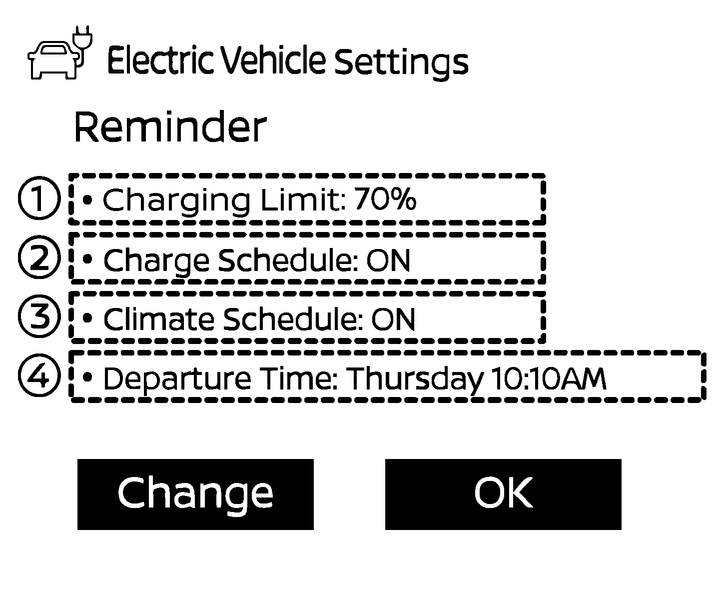
The Charge and Climate Reminder display appears for a short period of time when:
The power switch is turned off.
The power switch is in the off position and the charging connector is plugged in and connected.
Following items appear on the Charge and Climate Reminder display:
- (1)[Charging Limit]
Displays the set charge limit.
- (2)[Charge Schedule]
Displays the charge schedule status ON/OFF.
- (3)[Climate Schedule]
Displays the climate schedule status ON/OFF.
- (4)[Departure Time]
Displays the set departure time (day of a week and time).
Touch [Change] and one of the above items to change the setting.
Touch [OK] to dismiss the display.
Owners Manual