
Nissan Leaf Owners Manual | 2025
3.6.3. Driving the vehicle
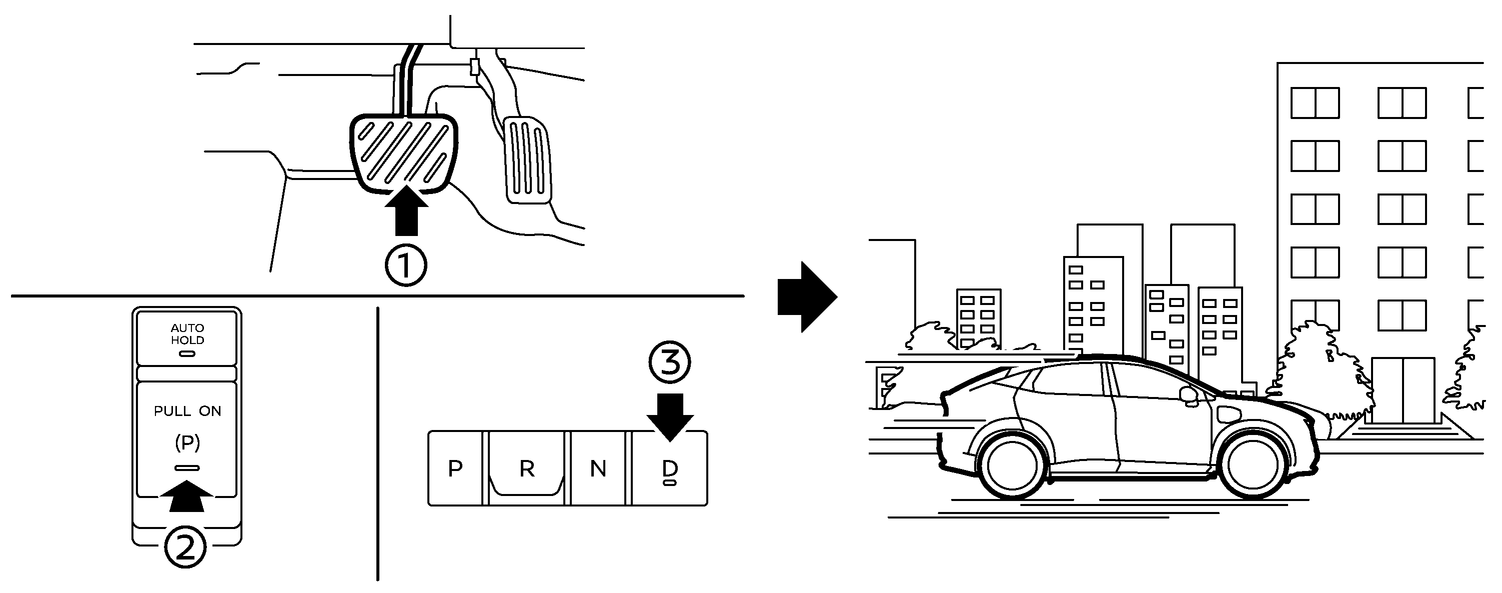
Depress the brake pedal (1).
Release the parking brake (2).
Shift the transmission to D (Drive) position (3).
Confirm that the vehicle is in the D (Drive) position. The shift indicator on the shift button illuminates and “D” is displayed on the vehicle information display.
Release the brake pedal.
Depress the accelerator pedal and start driving.
There are the following gear positions for driving the vehicle forward:
Use the D (Drive) position for optimum driving performance.
Use the paddle selector to increase the regenerative braking intensity for downhill driving. More regenerative brake is applied when the accelerator pedal is released in comparison to the D (Drive) position.

The regenerative brake converts the vehicle's forward motion to electric power to help slow the vehicle.
See
.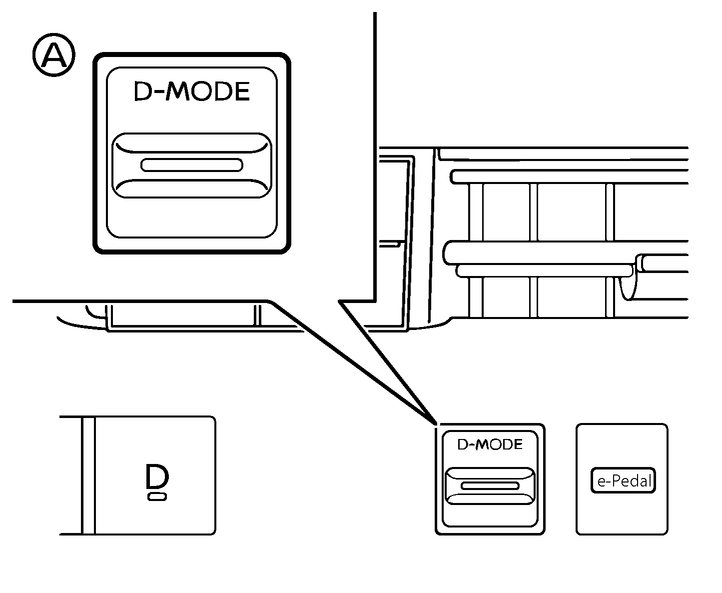
Use the Drive Mode Selector (A) located on the instrument panel to select the ECO mode. Use the ECO mode for maximum driving range and for city driving. The ECO mode helps reduce power consumption by reducing acceleration when compared to the same accelerator pedal position in the STANDARD mode. See
.
If the low battery charge warning light  (yellow) illuminates, the Li-ion battery charge is too low for travel. See