
Nissan Leaf Owners Manual | 2025
8.8.1. Automatic air conditioner
You can use either buttons on the instrument panel or keys on the climate control screen to control the automatic air conditioner.
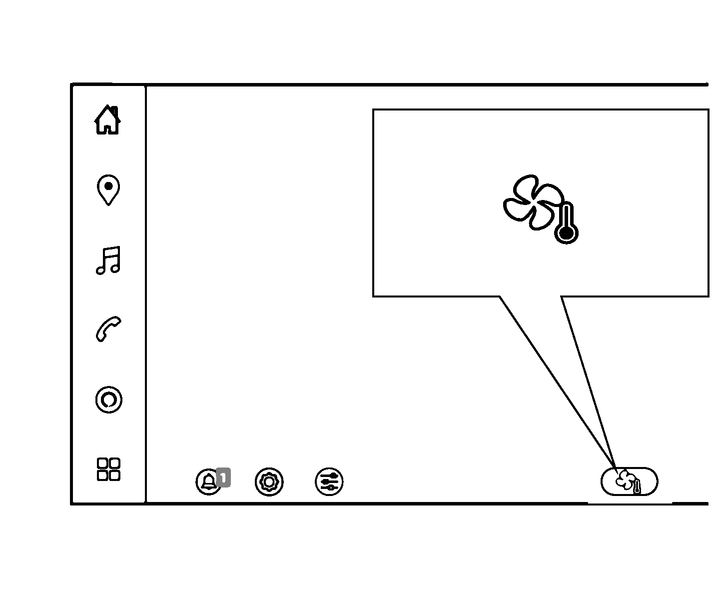
To display the climate control screen, touch the " " key on the touch screen display.
You can also control some air conditioner settings by touching " " or "
 " key (where fitted) while displaying other than climate control screen.
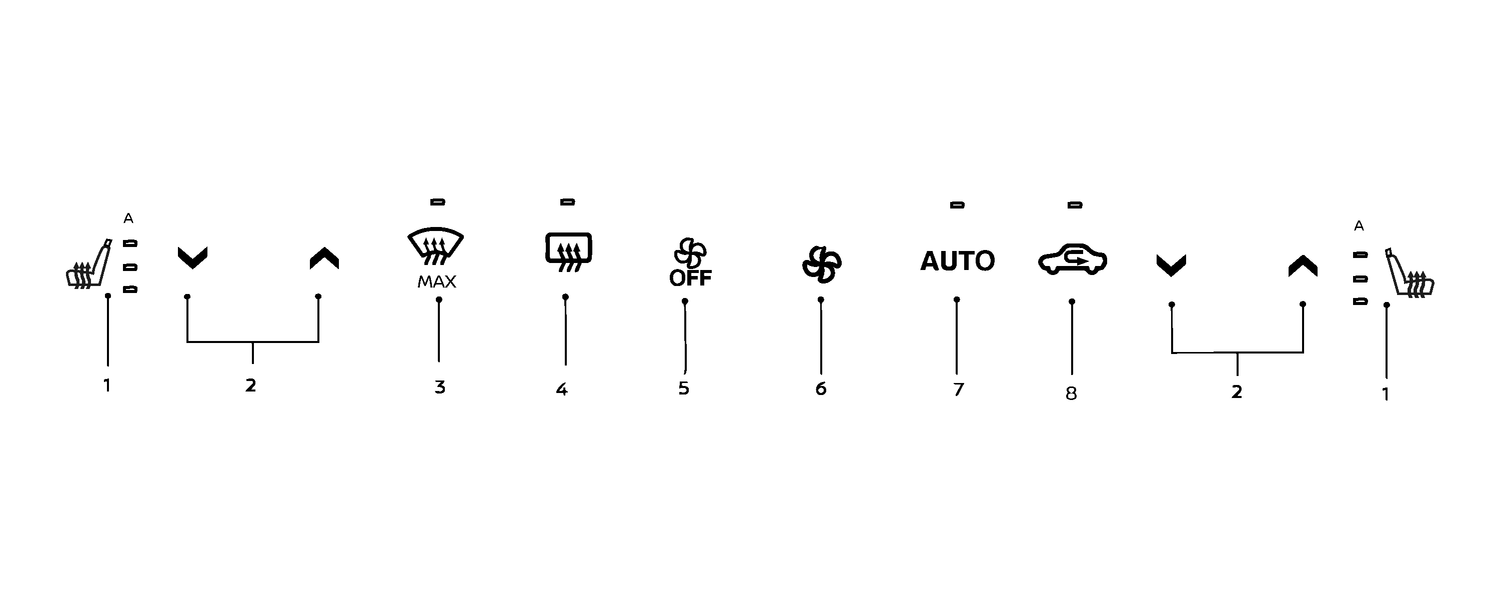
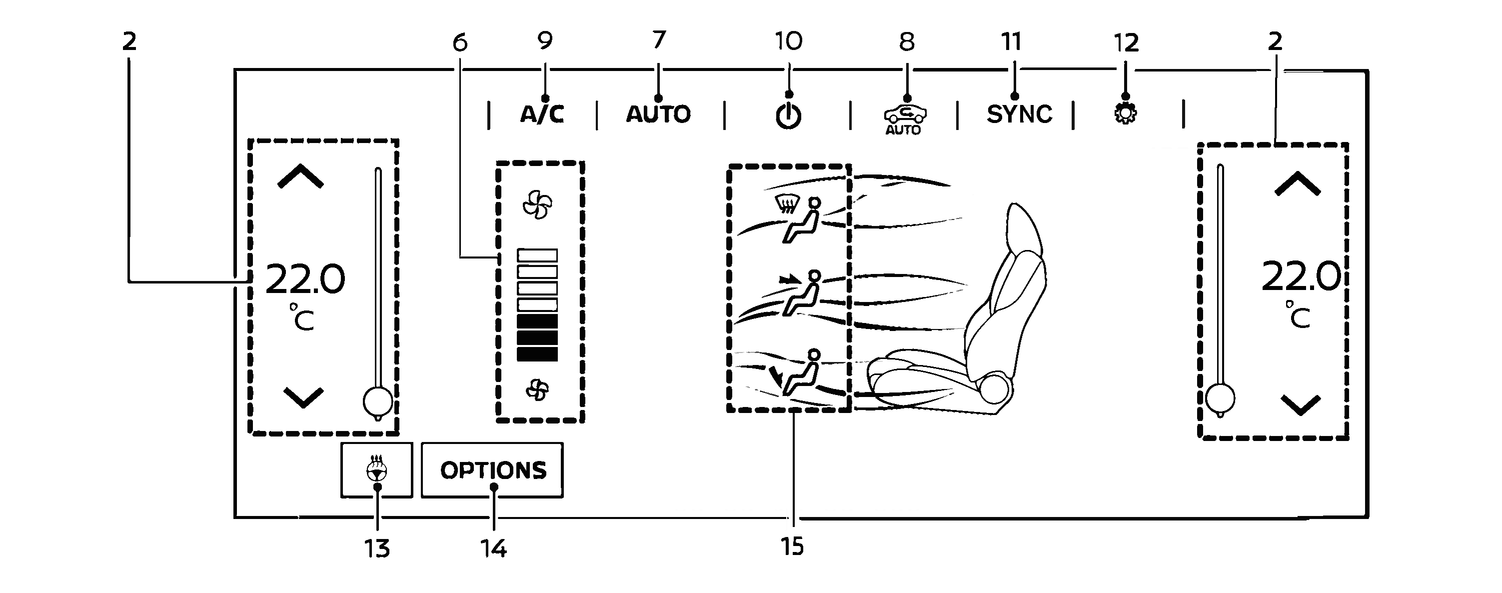
Heated seat button/Heated seat key (where fitted) (See
.)Temperature control button/temperature control key
 (front defroster) button
 (rear window defroster) button
Fan speed control button/OFF key
Fan speed control button/Fan speed control keys with indicator
<AUTO> (automatic) button in the instrument panel/[AUTO] (automatic) key in climate control screen
Air intake control button/key
[A/C] (air conditioner) key
ON·OFF key
[SYNC] (synchronise) key
Air conditioner settings key
Steering wheel heater key (where fitted)
[OPTIONS] key
- Air flow control keys
The screen layout in the illustration is for the Left-Hand Drive (LHD) vehicle. For the Right-Hand Drive (RHD) model, [OPTIONS] key is located on the opposite side of the screen.