
Nissan Leaf Owners Manual | 2025
4.5.1. Charging status indicator light
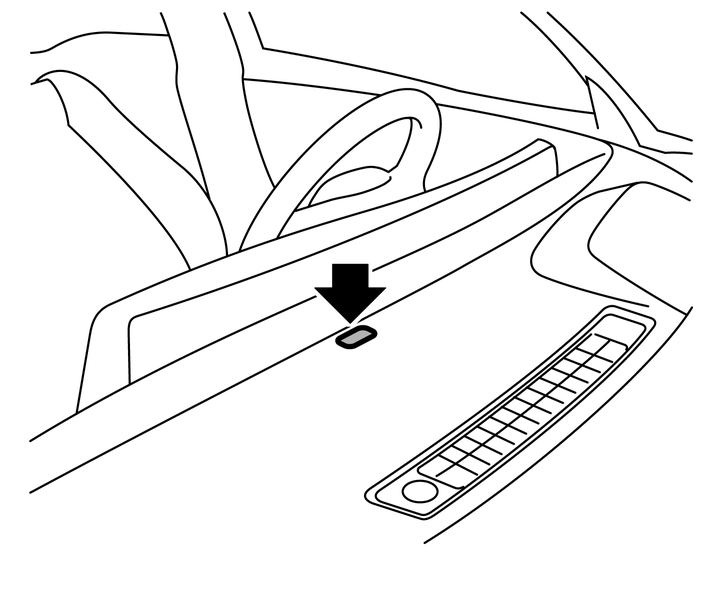
The charging status indicator light primarily indicates the charging status, and is visible from both inside and outside the vehicle.
When the charge connector is connected incorrectly
The indicator light will flash in red and a beep will sound three times for 30 seconds when the charge connector is connected incorrectly to the charge port.
The charging cannot be performed in this condition.
Ready for charging timer
If the charging timer is set, the indicator light flashes in green (the indicator light illuminates for approximately 2 seconds and will turn off for approximately 2 seconds, repeatedly.). The indicator light turns off after approximately 5 minutes.
When charging
When the Li-ion battery is being charged, the charging status indicator light flashes in blue and it will change the flashing speed depending on the amount the Li-ion battery is charged. As the Li-ion battery charging improves, the indicator flashes slowly.
The amount the Li-ion battery is charged is also displayed by the Li-ion battery available charge gauge on the vehicle information display.
When charged to the limit
The indicator light illuminates in blue when the Li-ion battery is charged to the limit.
The indicator light turns off after approximately 5 minutes or when the charge connector is removed.
When the Vehicle to Load (V2L) system is active
The indicator light flashes in green when the Vehicle to Load (V2L) system turns on.
The indicator light illuminates for approximately 1 second and will turn off for approximately 1 second, repeatedly.
For the explanation of the V2L system, see
.