
Nissan Leaf Owners Manual | 2025
4.4.3. Charge Schedule
The charge schedule function can be used for the normal charging only. It cannot be used for the DC fast charging.
Use charge schedule to schedule when the Li—ion battery charges. You can save three timer settings that include the charging start time and end time. The timer settings can be applied to each day of the week. The vehicle automatically begins charging at the scheduled times when the charge connector is connected to the vehicle. The timers do not need to be reset each time the Li—ion battery needs to be charged.
How to set charge schedule
The charge schedule settings can be changed with the touch screen display. See
.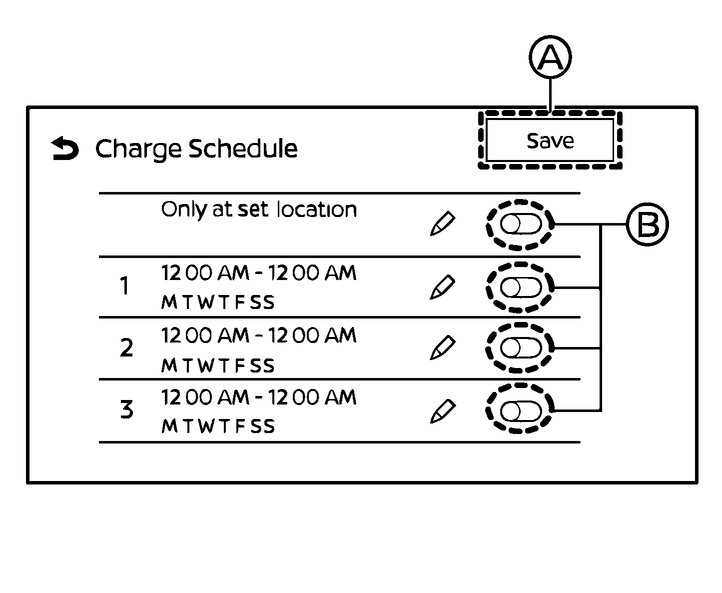
Touch [Charge Schedule] key to display charge schedule screen.
Available actions:
Only at set location:
When this item turns on, charging timer works only at the set location (for example, your home).
This function is only available if location is registered. See
Timer settings:
Touch (B) to turn on/off the timer. The indicator light will turn on when the timer setting is turned on.
”
 “ key
“ keyTouch to display the charging timer settings screen. Set preferred time and day of the week for vehicle charging. See
After completing the settings, touch the [Save] key (A), place the power switch in the OFF position, and then connect the charge connector to the vehicle.