
Nissan Leaf Owners Manual | 2023
9.22.6.1. Adjusting the parking position
The parking position can be adjusted manually.
Depress the brake pedal and stop the vehicle, then touch the parking guide box adjustment icon (
 ) on the screen.
When (
 ) is displayed, the parking guide box is displayed in the (${1}) position.
If no parking position is detected, the parking guide box is displayed in the default position.
Touch the arrow on the screen for fine adjustments.
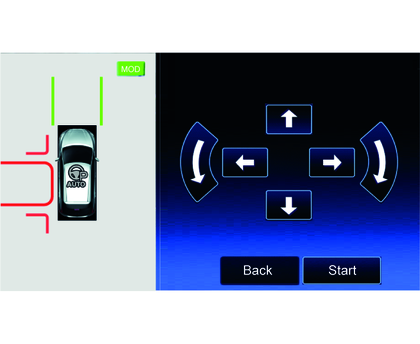

The displayed Clearance Guidelines indicate the guides of the area where a part of the vehicle may enter when moving to the parking position. Smooth parking is possible when vehicles, poles, and other obstacles are on the outside of the Clearance Guidelines.
Touch the bird's-eye view screen to move the parking guide box.
The parking guide box direction can be changed by operating the turn signal switch.